Console Repair Shop In Granite Bay
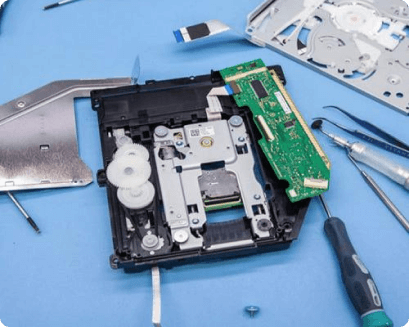
Game Console Repair in Granite Bay, CA
What are the odds if your game console does not turn off/on? You need to repair and replace the power supply of your game console. Our team will help you fix all your gadget problems. One of the most common problems users face while having it is HDMI ports displaced; indeed, it is a usual problem we have been fixing the most. When nothing shows up when you switch it on, that is the problem. Our experts are trained to replace the HDMI ports for your game console to work properly. A broken device won’t disrupt your mood; therefore, I Device Repair offers one of the finest game console repair services in Granite Bay.
Qualified Technicians For Your Game Console Repair
I Device Repair has the finest experts for game console repair in Granite Bay. Our professionals are trained and practiced in repairing your device close to the new. We have studied the parts of the gadgets you hold with unfamiliar issues. Once brought to us, we examine the gadgets in-depth, and when we diagnose the problems, we make sure to get them done ASAP. When the console fan roars, it is high time to get the bugs and dust out, and you need a good deep cleansing. As a consequence, our company has advanced in the above services.
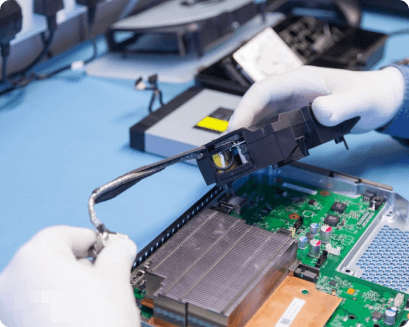
A Comprehensive Console Repair Service in Granite Bay, CA
We are a team of devoted technicians repair service in Granite Bay that brings you the solutions to your damaged devices. Our customers have always relied on us with their gadgets. At Pro device Repair, we can fix any issue with your gaming console.
Internal Memory chip issues:
When you are having trouble while reading or saving the data, OR you are facing issues while installing games or when you take screenshots, it struggles to keep; this means the internal memory of your gaming console has to be replaced. We can help you replace the internal memory chip of Xbox, Playstation 3, or anything else.
Hard drive/storage problems:
How would you know that your hard drive is corrupted? When your gaming console brings issues while turning on, or your hard drive is full or making an unusual noise, it is oxidized and will no longer detect in your system. Technicians at I Device Repair had the step by step guidelines for how to get things done the right way.
Red light error:
The red blinking light is a constantly faced issue among the users, indicating that something is wrong with the console. To run the console smoothly, you need to take some quick actions, bringing it to us. Schedule your technician and get it done soon because you would not want to stop yourself from playing your favorite games.